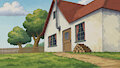
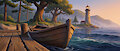
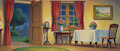
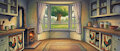
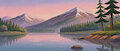
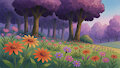
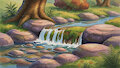
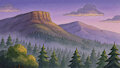
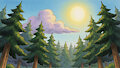
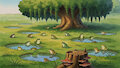
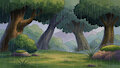
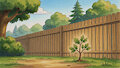
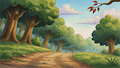
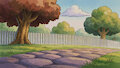
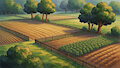
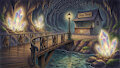
Long time coming, but I finally got it put together and actually working correctly. My very first Krea 2 Little Bear style LoRA. This model is solely just for making background that are to have characters composited onto them. Either through prompting for them, or drawing what you want and using the provided img2img workflow to fill in the fine details and stylize it. Using the image edit ability as mentioned below, you can create a character in SDXL, cut the background out, then have the Krea 2 Identity edit LoRA place the character into the already made background... Pixaroma's video on youtube can show you how to do that
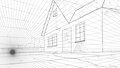
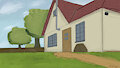
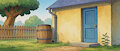
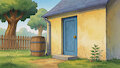
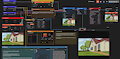
This one has been by far the hardest LoRA to get looking right and working correctly. The 1st image being what has taken me about a month to figure out... Krea 2 isn't natively a img2img model, its technically txt2img only... but there is a way to make it into one, the Krea 2 Identity Edit LoRA... with this lora you can turn the model into a image edit model, its not quite as good as Qwen Image Edit 2511, but still really good to be a 3rd party lora.. and through some clever training workarounds using Fizgig I managed to get my style LoRA working with the edit lora so that it turns Krea 2 into a Img 2 Img model that can help fill in the final details of the backgrounds I make (see 1-3 images)...
Edit: Added img2img workflow image and This Link is to download it seperately instead of having to rip it out of the metadata.txt file.
How to use:
Since this is a Krea 2 LoRA, you'll need Krea 2 Turbo model, along with all other models like Text Encoder and VAE Int8 and fp4 versions for GPUs under 16gb VRAM.
This LoRA was trained on ~300 screenshots from my Upscaled Little Bear series that were hand edited to remove, text, characters, anomalies and anything that could sour the training data.
You'll need a program like ComfyUI or SD Forge and the .safetensors file goes in the LoRAs folder for each respective program, usually inside a "models" folder.
Lora trigger word: LBgouche
Recommended lora weight: 1.0
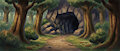
Starter Positive Prompt: LBgouche style, a dense forest scene with towering oak trees standing tall and thickly layered, their bark deeply furrowed and textured in rich browns and deep ochres, their branches arching overhead to form a cathedral-like canopy. A winding dirt path, composed of loose earth and scattered pebbles, cuts straight through the center of the image, flanked on both sides by lush green bushes with serrated leaves and tangled undergrowth. At the far end of the path, a dark cave entrance looms, framed by massive, angular rocks that stretch across the full width of the image, their surfaces rough and mossy with subtle veins of shadow. Inside the cave, small rounded stones rest on the floor, their surfaces smooth and slightly polished from age. To the right side of the image, behind a thicket of low-lying bushes with broad, slightly drooping leaves, lies a hollow log, its interior dark and empty, partially obscured by the bush’s thick foliage; the log’s outer surface is weathered and cracked, with visible rings and splinters. The lighting is soft and diffused, filtered through the canopy above, casting gentle highlights on the path and the rock faces, while shadows deepen within the cave. The overall mood is ancient, quiet, and mysterious, with earthy tones dominating and textures richly detailed.
Starter Negative Prompt: Doesn't use Negative Prompts.
Only 1 version of this LoRA since that's all you need. This is a style LoRA ;p
Yes I know 'Gouache' is mis-spelled on the trigger word, if you use 'gouache' it will completely change the style into the more water color style that gouache looks like, you that's why its gouche, dropped the A so it doesn't do a built in style.
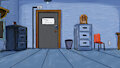
Image 1 is Image 3 that has been stylized with this LoRA, Image 2 is the original line art with perspective lines... Its Little Bear's house ;p All other images past Image 3 are txt to img.