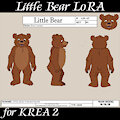
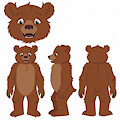
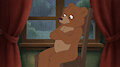
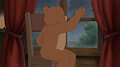
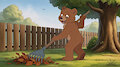
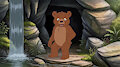
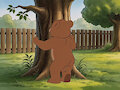
I made this one in the middle of last month so that I could complete the Inktober AI challenge, go check that out btw ;p And so I could get an official looking character sheet made, one to showcase, and two so that Minimax has a good reference of him for when I get to doing animations for the adventure game (I already got his alpha version walking animation made which will be posted once I fix everything)
The character sheet was also created using PhotoCraft from the ArtCraft suite, (the vibe coded Photoshop alternative), that is honestly very good for what it is. It's a bit rough around the edges, but it can get the job done and is well worth giving it a try if you're like me and know photoshop better than any other art program. It also runs like how photoshop did back in like 2009 when it wasn't bloated and and can chug down a high end PC.
There is a slight problem I noticed with this LoRa, sometimes Little Bear is too short, so he looks like a toddler instead of a older cub, so be mindful of that, come seed re-rolling and changing the prompt usually fixes most of the too small ones.
How to use:
You'll need a program like ComfyUI or SD Forge and the .safetensors file goes in the Loras folder for each respective program, usually inside a "models" folder.
Lora trigger word: L1ttleB34r
Recommended lora weight: 1.0
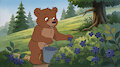
Starter Positive Prompt: L1ttleB34r, little bear is picking berries with a bucket, viewed from the side profile with the face visible, standing upright with one hand on the bucket and the other reaching into the bush, wearing no clothing, in a grassy hillside with bushes of blueberries and pine trees in the background, under bright daylight.
------- prompt 2 -----
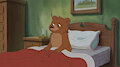
L1ttleB34r, little bear sitting on a bed, side profile, face visible, sitting upright with paws on the blanket, wearing no clothing, in a bedroom with green walls, wooden bed frame, white pillow, red blanket, small nightstand with candle, and framed picture on wall, lit by ambient light.
Starter Negative Prompt: Does not use a negative
The .txt file at the end of the sub has all the .json files organized by which image they go with, copy/paste each one you want into a .json file then, drag and drop into comfyUI to use the workflow.